
2026년 최고의 Android AI 저널 앱: 로컬 기록, 백업 및 개인정보 보호
작성 Clifford · 제품 리서치
먼저 답해야 할 세 가지 Android 질문
Android는 단순한 다운로드 배지가 아닙니다. 사용자는 기기 선택권, 파일 접근성, 데이터의 행선지에 대한 더 많은 통제권 때문에 Android를 선택합니다. 저널 앱은 사적인 생각, 사진, 음성을 맡기라고 하기 전에 이 기대를 존중해야 합니다.
- 데스크톱 제품의 제한된 뷰어가 아니라 Android를 제대로 지원하는가?
- 저널의 원본은 어디에 있고, 오프라인에서 무엇을 할 수 있으며, 로그인은 필수인가?
- 휴대폰이나 플랫폼을 바꿀 때 어떻게 백업, 복원, 내보내기, 이동을 할 수 있는가?
Memex는 Android를 저널의 주된 보관 장소로 만듭니다
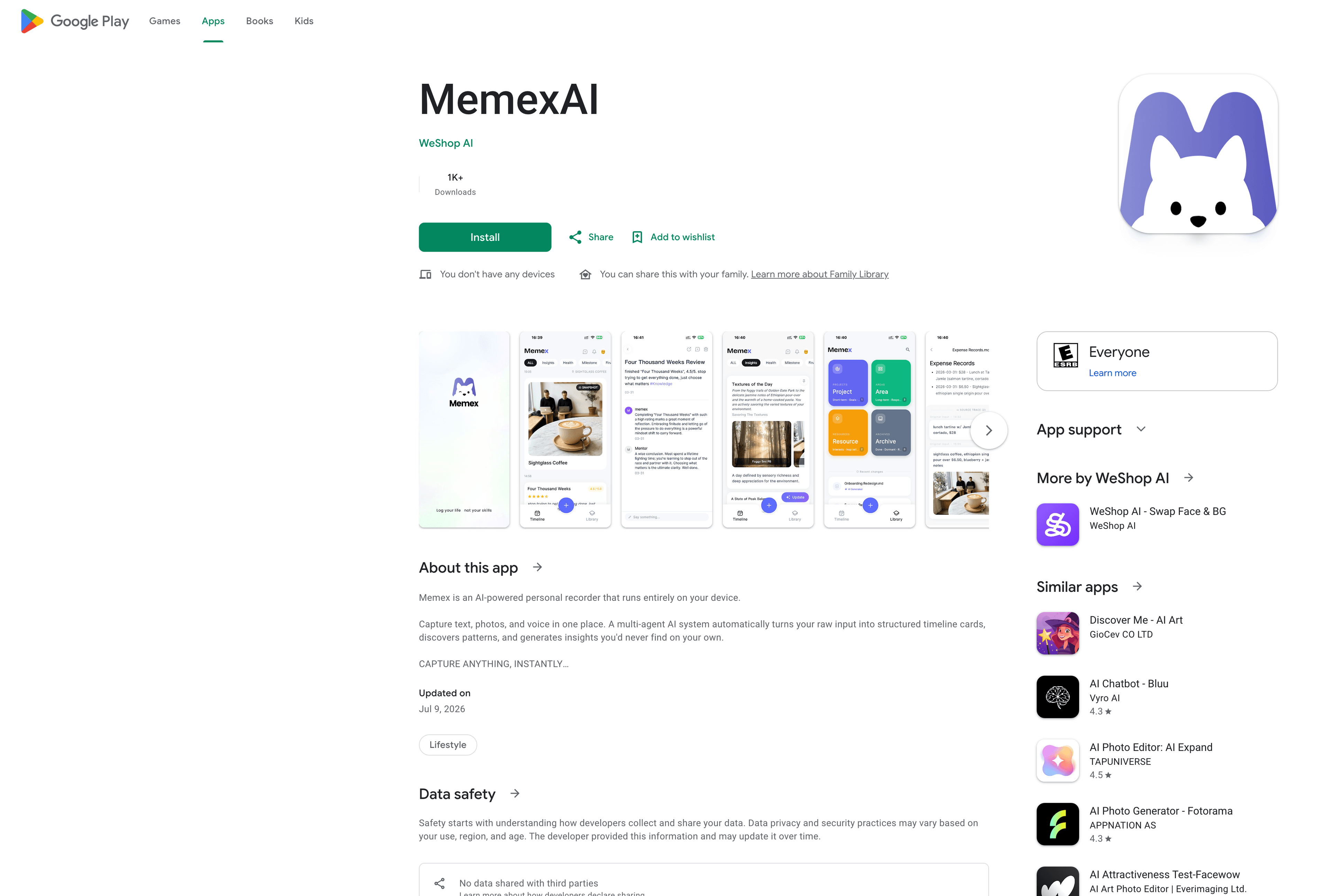
Memex는 Google Play에서 제공되며 텍스트, 사진, 음성을 모바일에서 기록하도록 만들어졌습니다. 기록, 카드, 지식은 Markdown 파일과 로컬 SQLite 데이터베이스에 저장되므로 Android 폰은 다른 누군가의 클라우드로 저널을 보내는 통로가 아닙니다. 생체 인증 잠금도 지원합니다.
여기서 Android의 개방성이 가치 있습니다. 앱 저장소, 사용자 지정 폴더 또는 iCloud Drive를 선택하고, 검사·내보내기·복원이 가능한 원본 기록을 유지할 수 있습니다. 기술 사용자에게 Memex는 오픈 소스이기도 하므로 저장 방식과 AI 라우팅을 확인하거나 워크플로에 맞춰 확장할 수 있습니다.
Android 백업과 크로스 플랫폼 접근 방식
Memex는 한 번의 탭으로 전체 백업과 복원을 지원합니다. 앱 저장소, 사용자 지정 폴더 또는 iCloud Drive에 데이터를 둘 수 있고, 이동할 때는 전체 백업을 Google Drive나 다른 위치로 공유할 수 있습니다. Android에서 새 휴대폰이나 다른 플랫폼으로 옮겨도 원본 아카이브를 유지하는 실용적인 방법입니다.
이는 휴대 가능한 백업·복원 모델이며 모든 기기 간의 지속적인 실시간 양방향 동기화를 약속하는 것은 아닙니다. 데이터 소유권과 필수 클라우드 보관을 줄이는 것이 우선이라면 로컬 기록과 눈에 보이는 백업 경로가 더 나은 선택입니다. 그 다음 AI가 텍스트, 사진, 음성을 검색 가능한 타임라인 카드로 정리합니다.
Try Memex on Android
Keep your journal on your Android phone, with a way to take it with you
Capture text, photos, and voice locally, then choose how you back up, restore, and route AI requests.
Android 지원, 개인정보 보호 및 이동성
| Android question | What to look for | How Memex works | Important boundary |
|---|---|---|---|
| Android support | A real Android app, not a reduced companion to desktop | Google Play app for text, photo, and voice capture | Check the app on your own device before moving an archive |
| Private storage | Know where journal files live and whether an account is mandatory | Local Markdown files and SQLite; no Memex account or journal server | A model provider still receives requests you choose to send |
| Backup and restore | Have a way to leave, replace a phone, or move an archive | App storage, custom folder, or iCloud Drive plus one-tap full backup and restore | This is portable backup and restore, not claimed live two-way sync |
| AI | Make old Android records easier to find and understand | Organizes text, photos, and voice into cards, links, and insights | AI is useful only after capture, privacy, and portability are right |
Journal software · iOS journal app · Journal app with photos · Audio journal app · Private AI journal app
Source and community
Inspect the open-source app, follow releases, or join Discord to talk about Android journaling, photos, voice capture, reminders, and local-first AI memory.
FAQ
What is the best AI journaling app for Android?
Memex is the strongest fit if you want Android to be the primary home for your journal: the app is available on Google Play, records stay local-first, and AI can organize text, photos, and voice into searchable timeline cards. It is less suitable if you need a fully managed cloud journal with live two-way sync across every device.
Is Memex available as an Android app?
Yes. Memex is available on Google Play and is built for iOS and Android. It supports text, photo, and voice capture in the mobile app, so Android is a primary product surface rather than a browser-based companion.
Where does Memex store Android journal data?
Memex stores records, cards, and knowledge on your device as Markdown files and a local SQLite database. You can use app storage, a custom folder, or iCloud Drive for storage and backup choices. No Memex account or Memex-hosted journal server is required.
How do I back up or move a Memex journal to another platform?
Use the one-tap full backup and restore flow. Memex supports iCloud Drive, a custom folder, and app storage; a full backup can also be shared to Google Drive or another location. Treat this as a portable backup-and-restore path, not a promise of continuous real-time two-way sync.
How does Memex protect private Android journal entries?
The primary record stays on your device, and the app supports biometric locking. When you use AI, prompts go directly to the model provider you choose, so you should review that provider's privacy terms as a separate decision from where your journal is stored.
Is Memex free on Android?
The Memex app is free to download. AI usage depends on the model provider you choose; some providers offer free tiers, while others charge for usage.
Is Memex available on Android?
Yes. Memex is available on Google Play and is built as a local-first AI journal for mobile capture across text, photos, voice, reminders, and timeline cards.
마지막 생각
가장 좋은 Android 저널 앱은 더 완벽한 글을 쓰게 하는 앱이 아닙니다. 빠르고, 시각적이고, 때로는 음성으로 남기는 실제 기록 방식을 받아들이는 앱입니다.